Now in beta · Free for crews to try

Simple enough for your newest guy. Cheap enough for you.

Scheduling, clients, quotes, invoicing, and recurring routes — built specifically for lawn care, landscape, and hardscape crews. Not generic field service software with a lawnmower icon slapped on it.

Free during the beta. After launch, Solo starts at $15/month. No contracts.

Crewday lawn care and landscaping app showing today's crew schedule with jobs, times, and client names

The actual app — not mockups

Every screen below is a real screenshot.

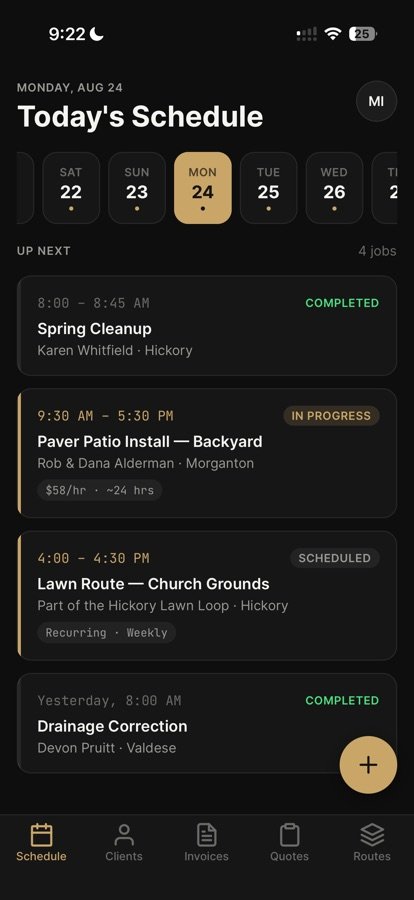
Crew schedule screen with today's mowing and install jobsSchedule
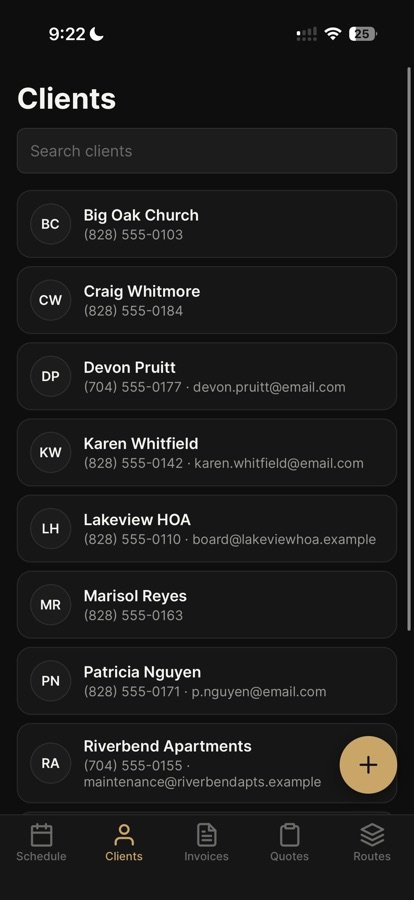
Lawn care client list with contact infoClients
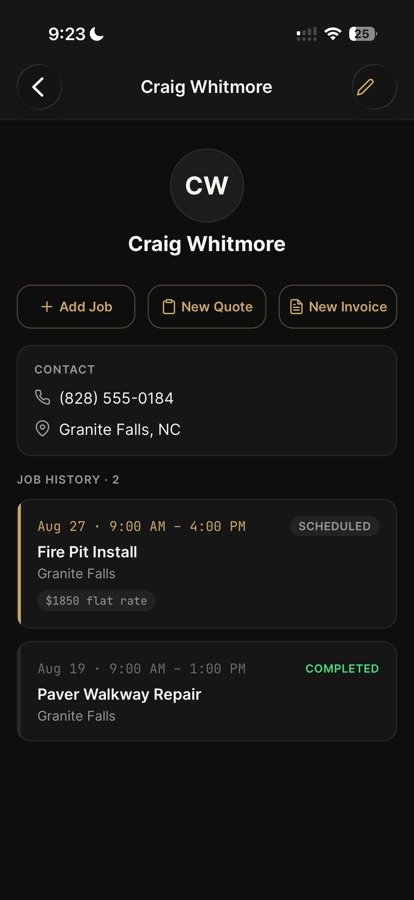
Client profile with job historyClient profile
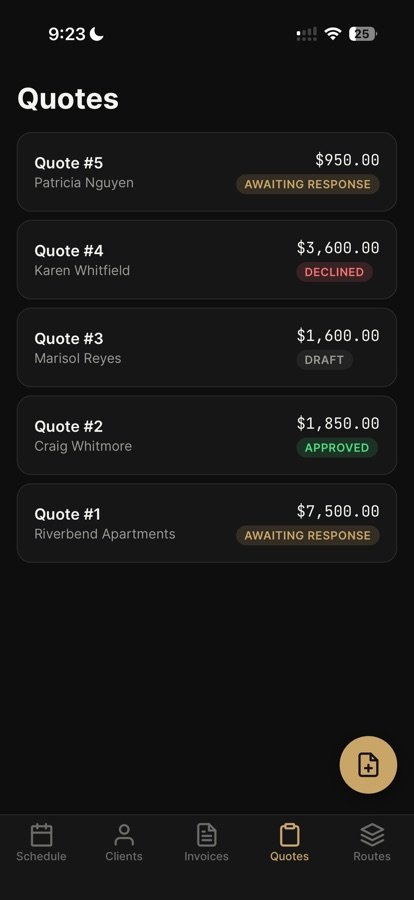
Quotes list with statusesQuotes
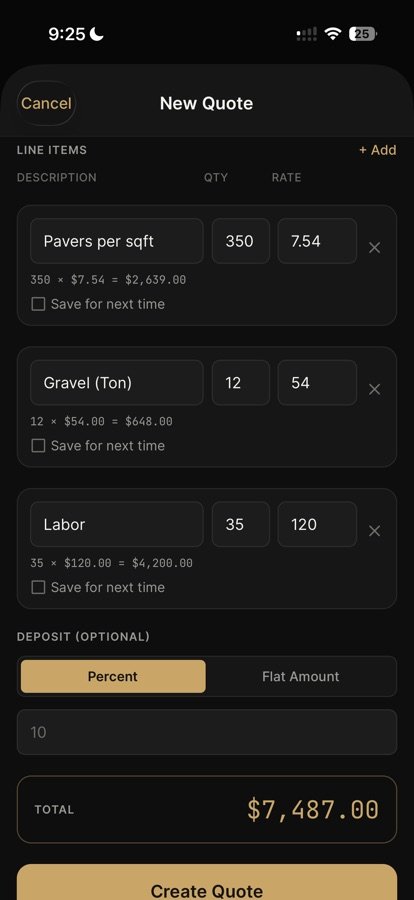
Landscaping quote builder with line items and totalQuote builder
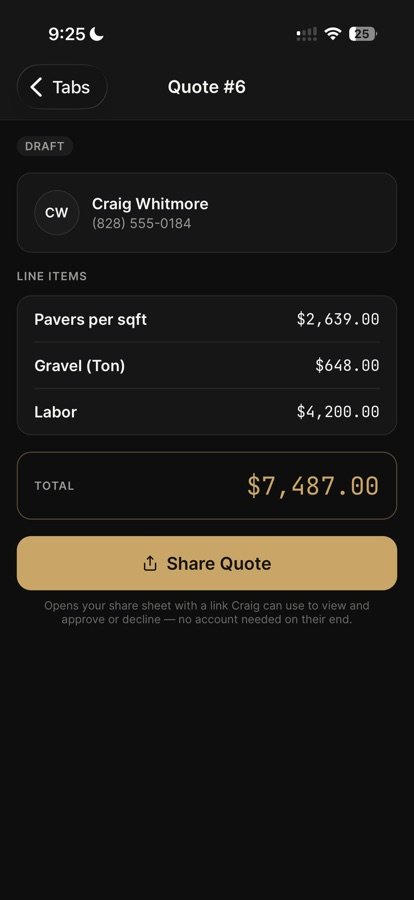
Shareable quote with approve or decline linkShare a quote
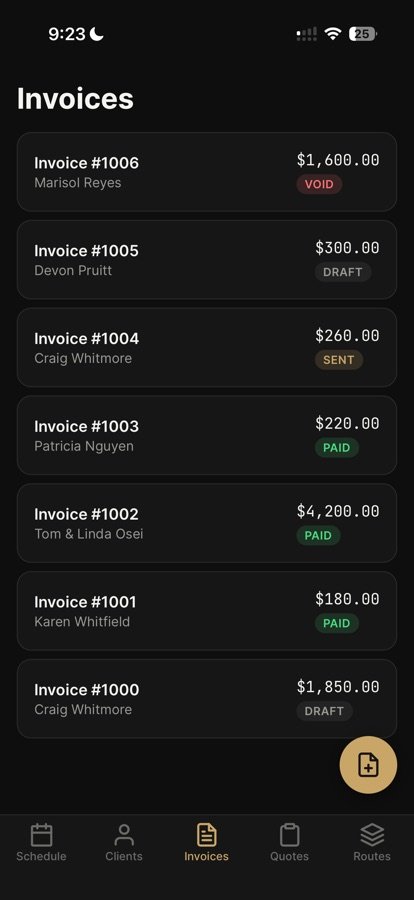
Invoice list with paid, sent, and draft statusesInvoices
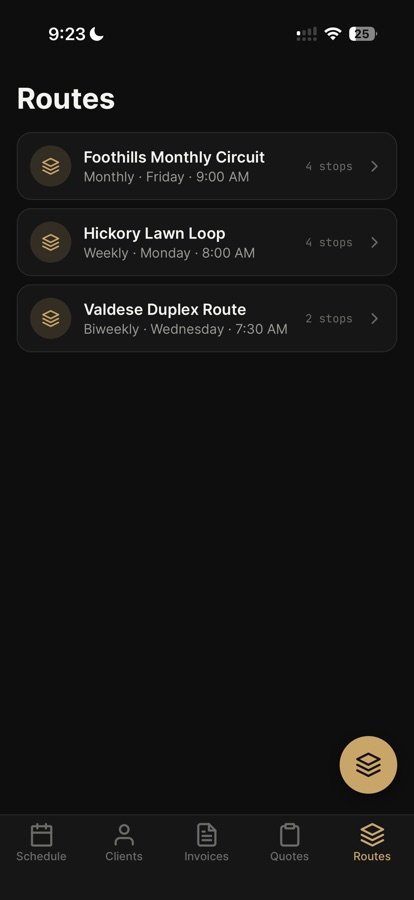
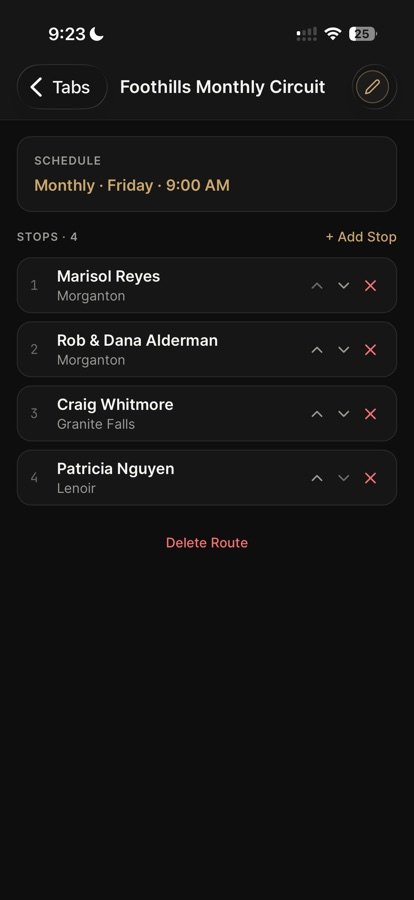
Recurring weekly and biweekly lawn care routesRoutes
Route detail with ordered stopsRoute stops
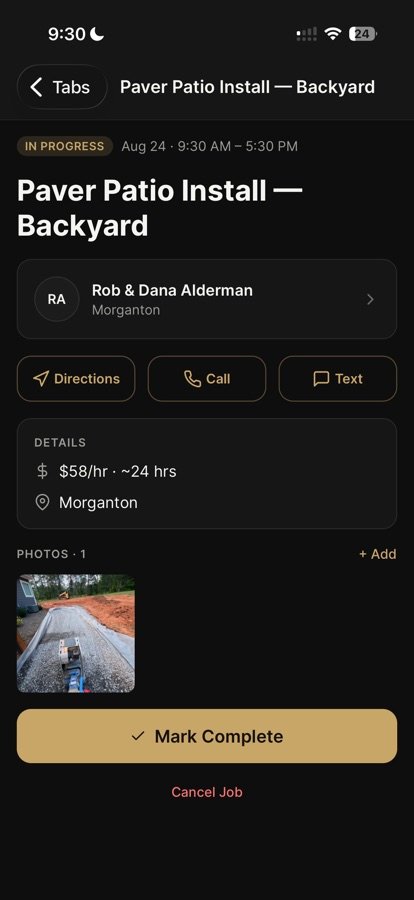
Job detail with directions, call, text, and job photoJob detail
Paver patio install job in progress, Morganton, showing real job site photo

Why this exists

01

Built by an operator, not a software company

I've spent 15 years running hardscape installs alongside my dad here in Western North Carolina. I also write software, front end and back end, for real. Nobody hired a dev team to guess what contractors need. I built this myself for our own company, because we needed it running our crew.

02

The real reason it exists

I wasn't about to pay $200+ a month to some software company just so my guys knew where to be and what to do each day — instead of handing them a piece of paper they'd lose by lunch. That's it. That's the whole problem I was solving. So I built my own.

03

The honest part

I wasn't sure I wanted to make this public. Built it for my own business first — wasn't planning on selling it. But watching it actually save time and headaches on the job made me realize other crews could use the same thing. So I'm putting it out there.

04

Why the price scales with your crew

I'm not trying to build some big software company — I'm trying to help other guys running crews the way we do. Solo is $15 a month, just for you — less than a gym membership. Crew (up to 3 guys) is $35. Team (up to 8) is $60. Company (up to 15) is $95. Not because I'm trying to squeeze you, but because more crew means more data and more load on the server, and that costs me more to keep it running. Bigger than that, we'll just talk. No contracts. Cancel anytime.

What it does

Four things. Nothing you don't need.

Crew scheduling screen in Crewday

Scheduling

See the whole crew's day at a glance. One-off jobs, recurring jobs, in-progress, completed — all in one list. Nobody's guessing where to be.

Client profile with job history in Crewday

Clients

Every client, every job history, every phone number, in one place. Kick off a job, quote, or invoice straight from their profile.

Invoices with paid, sent and draft status in Crewday

Quotes & invoicing

Build a quote, send it, get approved. Turn it into an invoice, get paid. Your client doesn't need an account just to say yes.

Recurring route with ordered stops in Crewday

Routes

Set up recurring routes once — weekly, biweekly, monthly. Crewday remembers the stops and the schedule so you don't have to.

The math

Built for outdoor crews. Priced like it.

Free while Crewday is in beta. These are the prices after launch.

Everyone else

$39–$190/mo

Field service software built to cover every trade under the sun, all shoved into the same generic tool.

Crewday

$15–$95/mo

  • Solo Just you — 1 account $15/mo
  • Crew Owner + up to 3 employees $35/mo
  • Team Owner + up to 8 employees $60/mo
  • Company Owner + up to 15 employees $95/mo

Price scales with crew size to cover server costs, not to pad margin. No contracts. Cancel anytime.

Bigger than 15? Let's just talk pricing: info@crewdayapp.com

Beta testing

Try Crewday free while it's in beta.

Crewday is in beta testing, and it's free for companies to try. Tell me who you are and I'll reach out to get your crew set up. No sales calls, no spam, no card.

Free during the beta. After launch, Solo starts at $15/month.

I'll only use this to set up your beta access. Privacy policy

Questions

Straight answers.

What kind of businesses is Crewday built for?

Crews that work outside. It was built running a hardscape crew, and it fits lawn care, landscaping, hardscaping, tree service, pressure washing, and irrigation businesses: anybody who runs recurring routes or quotes a job before doing it.

How much does Crewday cost?

Solo is $15/month for just you. Crew is $35/month for the owner plus up to 3 employees. Team is $60/month for up to 8. Company is $95/month for up to 15. Bigger than that, we'll talk. No contracts, cancel anytime.

Is Crewday a good app for a solo lawn care business?

Yes. The Solo plan is $15/month and covers scheduling, clients, quotes, invoices, and recurring mowing routes for one person. When you hire help, you move up a tier. You don't switch software.

Can I set up recurring mowing or maintenance routes?

Yes. Set a route up once as weekly, biweekly, or monthly. Crewday remembers the stops and the schedule, so your crew just works the list.

Do my customers need an account to approve a quote?

No. You send a quote link, and they can approve or decline it from their phone. Once it's approved, turn it into an invoice.

Is there a contract?

No. It's month to month. Cancel anytime.

When can I start using Crewday?

Crewday is in beta right now. Request beta access and I'll get your company set up. The iPhone app, the desktop version for Mac and Windows, and the browser version all open up at launch.

Is the beta free?

Yes. It's free for companies to try during the beta. No card, no contract. The prices above start at launch, and you'll hear about it before anything is charged.

Coming at launch

Run the office from your computer.

The desktop version puts your schedule, clients, quotes, invoices, payroll, and team on a big screen. Create your account and subscribe right from it. No phone needed.

Available at launch

Beta testers get set up first.

Request beta access

What's in the desktop version

  • The whole week or month on one screen

    See every job laid out, and drag one to a different day when plans change.

  • Quotes with photos

    Write the quote, add photos, send it, and see when the client opened it.

  • Payroll hours, done

    Hours by person and by day, ready when it's time to pay the crew.

  • Who's on the clock right now

    One look tells you who's clocked in.